

Veda Audio Player
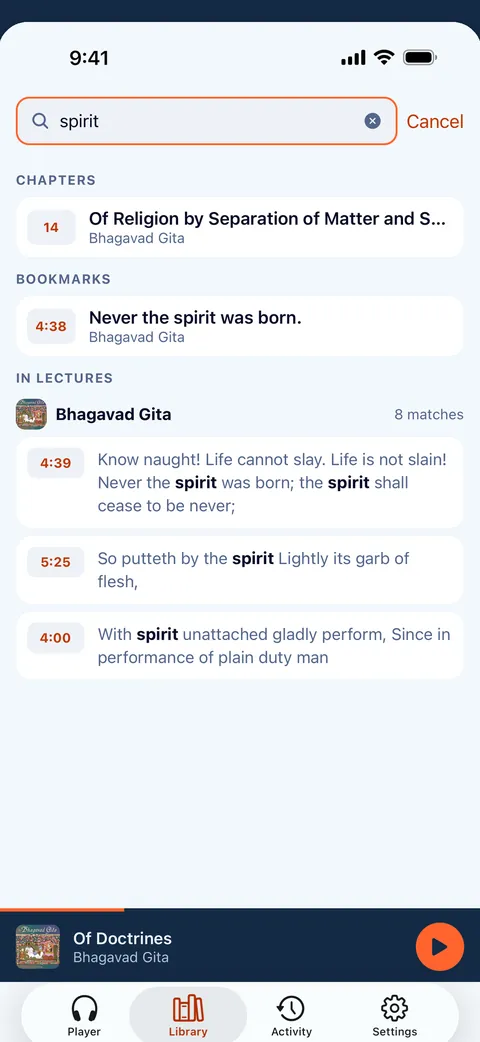
Search inside your lectures
Remember a phrase but not which lecture? Veda Audio Player finds the words spoken in your books and plays from that moment. It needs a transcript file next to the audio.
What it does
- Library search also finds the words spoken in books that have a transcript, and plays from that moment.
- Transcripts come from .vtt, .srt or .lrc files next to the audio. Help shows how to make them on your computer.
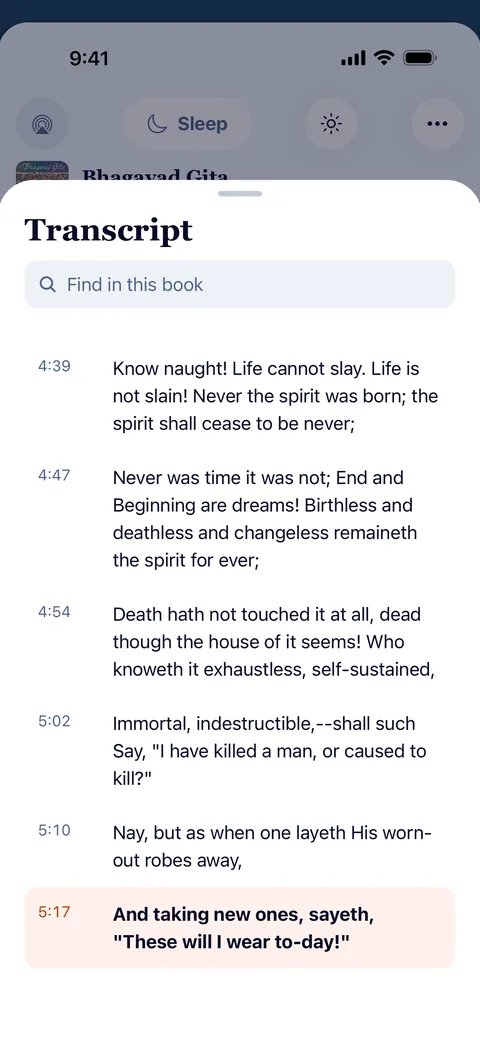
- Read along: the transcript follows playback; tap a line to jump there.
How to make transcripts
Search inside your books needs transcripts: the words with their times. A computer makes them with Whisper, free and offline, in a few minutes to half an hour per hour of audio, depending on the computer.
Each transcript is a .vtt file next to its audio file, with the same name: 01.mp3 → 01.vtt. Keep them where the book is (a connected folder, a WebDAV or web-folder server, or the book's folder on Audiobookshelf shared to Veda Audio Player that way) and Veda Audio Player picks them up when it scans.
Questions
Can I search inside my lectures?
Other features
Your own server
Keep the library at home and listen anywhere.
Links
Paste a link, or share it from another app.
Formats
Play the audiobooks you already own, as they are.
Lecture player
Keep recorded lessons together in Veda Audio Player: arrange course folders as shelves, resume each lecture and leave a note at a useful moment.
LibriVox audiobooks
LibriVox volunteers record books in the public domain.
Veda Audio Player – Audiobooks
Your own M4B, MP3 & FLAC files