

Veda Audio Player
Free LibriVox audiobooks, ready to play
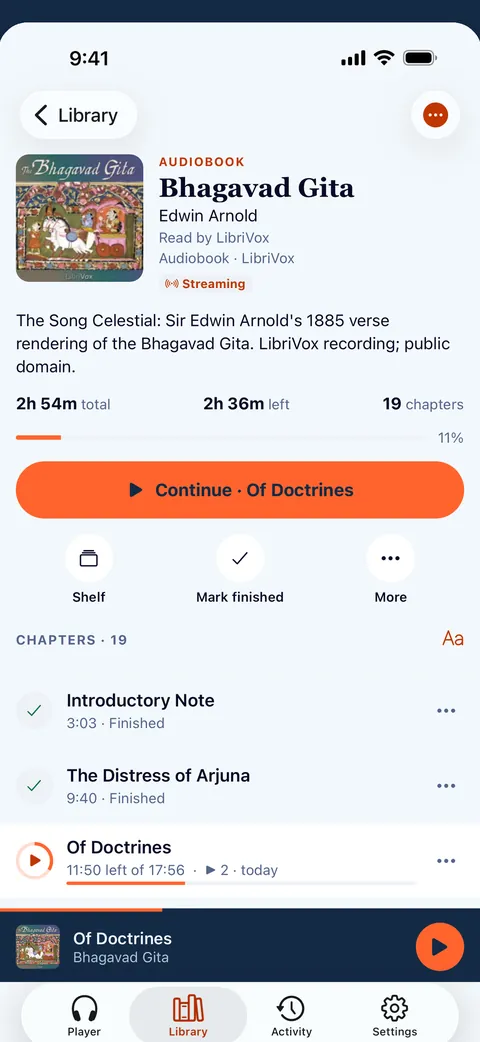
LibriVox volunteers record books in the public domain. Veda Audio Player includes a small starter shelf of these recordings, with book details, available chapters and covers.
What it does
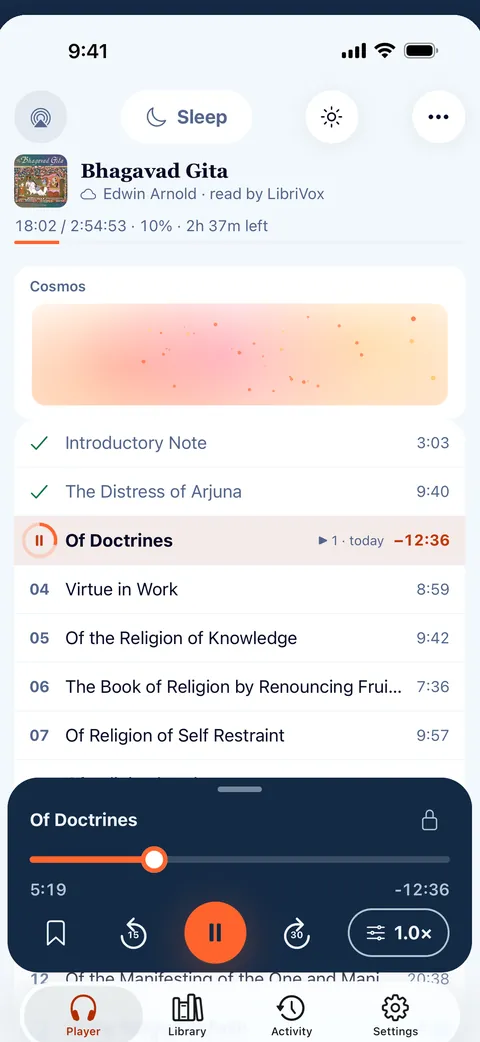
- Titles, authors, narrators, series and covers come from the files' tags. M4B, MP3 and CUE chapters are read for you.
- Import from Files, the share sheet or a ZIP, or connect a folder and Veda Audio Player picks up new books by itself.
A small starter library
The app’s starter selection includes eight LibriVox recordings. They are examples: not every LibriVox title can be browsed inside Veda Audio Player. Open a title to see its available recording files; the app displays the book information, chapters and cover supplied with each entry.
Sample books in the starter library
- Bhagavad Gita — Edwin Arnold. Open a sample track in Veda Audio Player
- Katha Upanishad — Anonymous. Open a sample track in Veda Audio Player
- Isha Upanishad — Anonymous. Open a sample track in Veda Audio Player
- The Dhammapada — F. Max Müller. Open a sample track in Veda Audio Player
- Tao Teh King — Lao-Tze. Open a sample track in Veda Audio Player
- Gitanjali — Rabindranath Tagore. Open a sample track in Veda Audio Player
- Mundaka Upanishad — Anonymous. Open a sample track in Veda Audio Player
- Детство — Лев Толстой. Open a sample track in Veda Audio Player
Add another LibriVox recording
On archive.org, choose the audio file or ZIP for a book and copy its direct download link. Open the add screen from Veda Audio Player and pass that link; the app checks the source and asks before downloading. A ZIP can keep several chapter files together. Choose files marked for public use, and check the archive page for the recording’s license or reader details. For other ways to add books, see the adding books guide and supported formats.
Questions
Does Veda Audio Player include the full LibriVox catalog?
Other features
Search inside lectures
Remember a phrase but not which lecture?
Your own server
Keep the library at home and listen anywhere.
Links
Paste a link, or share it from another app.
Formats
Play the audiobooks you already own, as they are.
Lecture player
Keep recorded lessons together in Veda Audio Player: arrange course folders as shelves, resume each lecture and leave a note at a useful moment.
Veda Audio Player – Audiobooks
Your own M4B, MP3 & FLAC files